Money
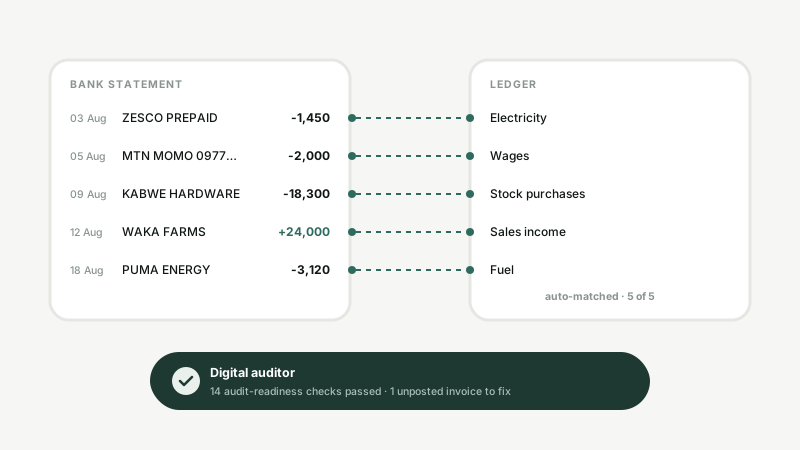
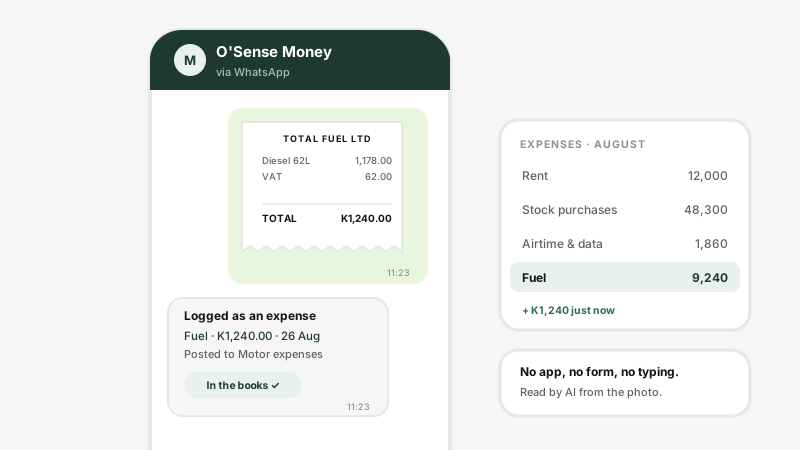
Photograph a receipt on WhatsApp and it is an expense in the ledger before you have put the phone down. Bank lines match themselves, statements are ready for any period, and a digital auditor checks the books are audit-ready — then seals the pack with a QR anyone can verify.
What you get
Send a photo of any receipt to your WhatsApp accounts number. AI reads the amount, the date and the supplier, and posts the expense to the right account.
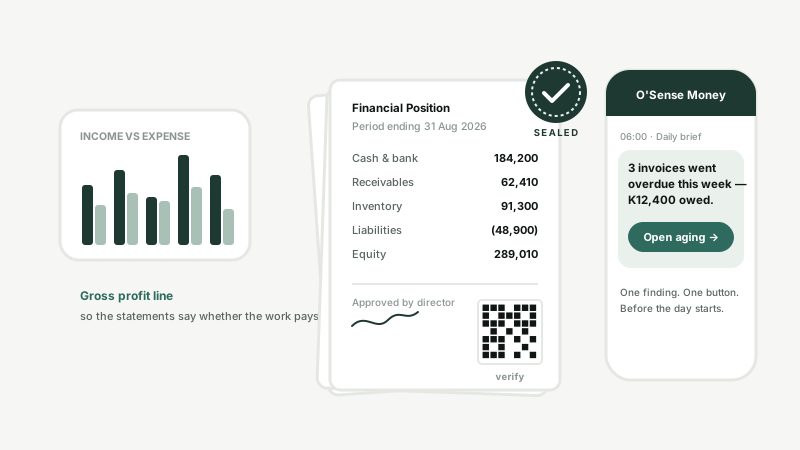
Financial position, profit and loss with a gross-profit line, classified cash flow and changes in equity — on screen for whatever dates you choose, with comparatives.
Audit-readiness checks run over your own ledger. Findings are sealed into the audit pack alongside the statements, with a QR that verifies the pack was not altered.
The person paying for fuel at 11:23 is not going to sit at a computer at 17:00 to type it in. So they don't. A photo on WhatsApp is the whole job — the expense is dated, categorised and posted, and the photo is kept as the proof.
Import the bank statement and O'Sense matches each line to the expense or income it already knows about, suggests an account for the rest, and shows you what is still unposted with a one-click fix. Aging, VAT return and customer statements come off the same ledger.
Every morning O'Sense reads your ledger, finds the one thing that most needs saying — an overdue invoice, a receivable slipping, cash below the line — and sends it to the numbers you have marked for accounts. One sentence, one button. The rest keeps until tomorrow.
The rest of O'Sense
Money is one part of the system. Every invoice, receipt, payslip and stock count above lands in these books automatically.
Launch O'Sense and start with the free employee register, or message us on WhatsApp and we will set up your accounts number for receipts.