app.osense.io/dashboard/products
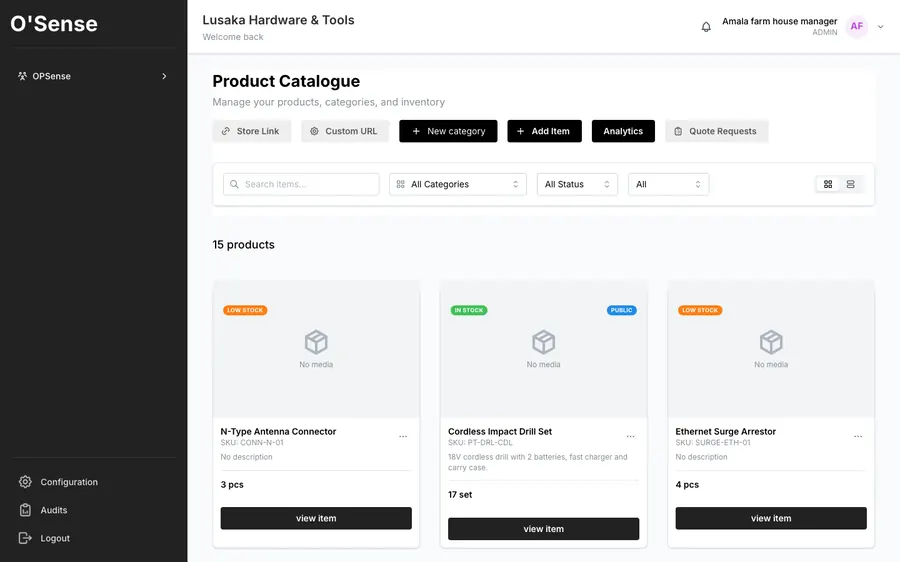
Real screenshot: list your stock, publish a store link, and take quote requests
Cement, iron sheets, welding equipment, general hardware — list what you already stock and it's live at your own store address. Customers browse and send a quote request, because with hardware, price depends on quantity, not a fixed tag.
Real screenshot: list your stock, publish a store link, and take quote requests
The Problem
Your stock sits in a notebook or in your head. A customer three suburbs over who needs 50 bags of cement has no way to know you have it — so they call a competitor who's easier to find.
Flip the products already in your O'Sense inventory to "visible" — nothing to rebuild.
Customers send an RFQ. You set the price by quantity, same as you always have.
See buyer details and requested items in your dashboard, not scattered across WhatsApp chats.
The same product record feeds your store, your quotations and invoices and your stock counts.
Questions
Mark a product visible in O'Sense Inventory and it appears on your own public store page, on a customer's phone, with your WhatsApp one tap away. There is no separate site to build or maintain, and the store sells from the same product list your counts and quotations use.
Yes. The request arrives as a quote request with the items and the buyer's WhatsApp number attached, and you agree the price from there. For goods like cement, iron sheets or custom work — where the price depends on quantity — that is how the trade actually works, so there is no checkout pretending otherwise.
In SalesOps a quotation converts to an invoice, then to a delivery note and a receipt, carrying the same client, the same line items and the same prices each time. Nothing is re-keyed, so the four documents agree with each other and with the stock list they came from.
Yes. Inventory holds every product with its price, category and count, says so when something runs low, and supports a stock count you can actually perform — which then adjusts closing stock in the books.
Launch O'Sense free, or chat with us on WhatsApp first.