app.osense.io/dashboard/crm
app.osense.io/dashboard/bia
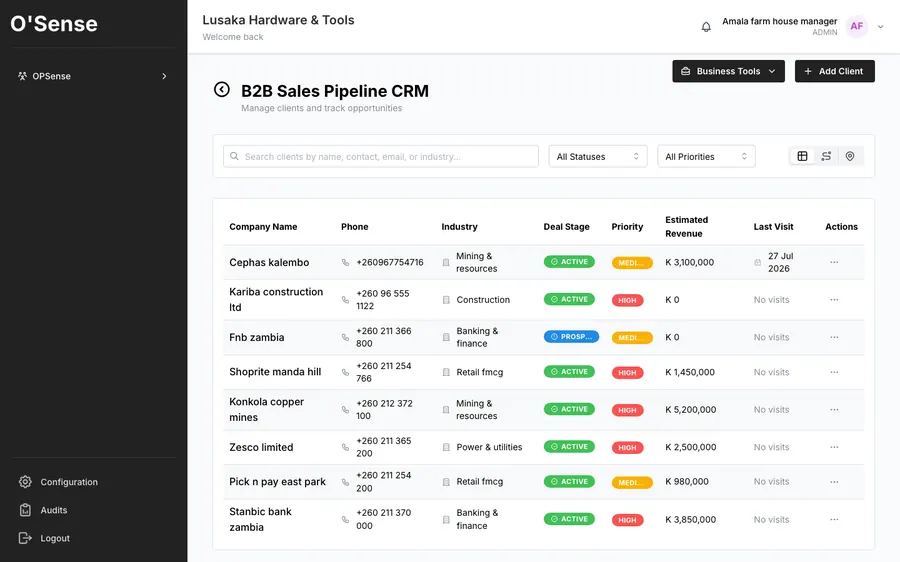
A pipeline built for accounts you're actually chasing — deal stage, priority and estimated revenue next to every client, plus AI-scored conversion likelihood from your own notes.
The Problem
A promising lead goes quiet for three weeks because no one flagged it. A deal you thought was closing turns out to have gone cold — and you only find out when the customer buys from someone else.
SalesOps, the O'Sense CRM, shows deal stage, priority and estimated revenue at a glance, not buried in a notebook.
Every client plotted by location, so you can plan a day of visits by who's actually nearby, not guesswork.
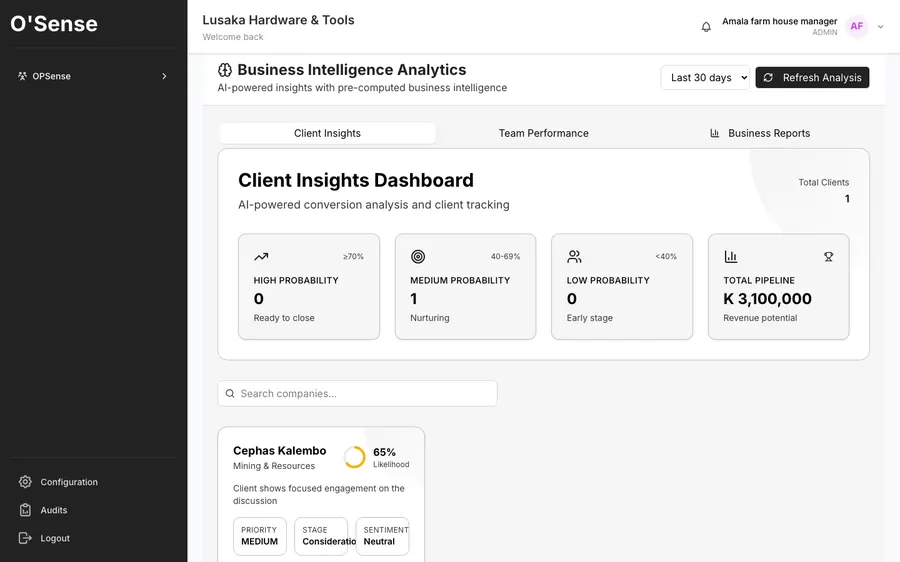
O'Sense reads the sentiment in your own client notes and scores each account's conversion likelihood automatically — so you know who to call today, not just who you last spoke to.
See who's ready to close and who needs another touch, without building a spreadsheet.
Quotations, invoicing, stock, HR and payroll, same login.
Reps on the road record the visit against the client, and every quotation and invoice they leave behind carries a code the customer can scan to check it against your own record. New accounts come from LeadFinder, which finds and scores businesses in any Zambian town.
Questions
SalesOps, the CRM in O'Sense, is made in Lusaka for Zambian sales teams. Every client has a contact, industry, status, owner, notes, visits and an activity feed that brings together notes, quotes, invoices, WhatsApp and email, and it shares its clients with quotations, invoices and stock.
Sales Intelligence Analytics, part of SalesOps, scores every open account for how close it is from the notes, visits and quotes your team already records, and names the recommended next step. It also counts what each salesperson actually did — clients added, notes written, follow-ups sent, visits logged — rather than estimating.
Use LeadFinder, inside SalesOps. Type the town and what you sell, for example hardware shops in Kitwe. LeadFinder finds matching businesses, scores each one from 0 to 100 against the questions you set, with a line of evidence and a source link for every answer, and drafts the first WhatsApp message. Nothing is sent until you send it.
Yes. Documents go out on the WhatsApp number you already deal with the customer on, as a PDF. SalesOps can also draft the follow-up message itself, from the client's own last feedback, with a product photo attached.
Launch O'Sense free, or chat with us on WhatsApp first.